Favorit Saya
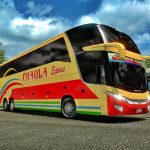
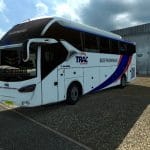
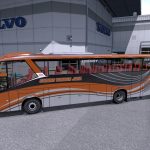
Mod Bus Jetbus 5 Volvo Triple Axle by Mizta Doel ETS2 1.49

Mod info
| Nama mod | Jetbus 5 Tronton |
| Kategori | Mod Bus |
| Versi Game | ETS2 1.36 |
| Ukuran | |
| Credits | Mizta Doel |
| Last updated |
Deskripsi
Mod Jetbus 5 Volvo triple axle atau bus trintin by Mizta Doel untuk game ETS2 versi 1.36 sampai 1.49. Mod ini berisi livery dari Bintang Utara Putra, Gunung Harta, Tividi. Dan beberapa aksesoris seperti boneka, strobo, gantungan, pelek, dllKeterangan1. Mod sudah test di versi 1.36, 1.40, 1.482. Mohon tidak MEMBOBOL FILE YANG DILOCK3. Mohon tidak diperjualbelikan4. Mohon tidak convert ke game lain tanpa izin kami5. Mohon tidak reupload link6. File terdiri dari:– Mod Jetbus 5 Triple Axle yang harus diekstrak dulu– Mod Livery/Skin Jetbus 5 Triple Axle– Mod Assesoris Jetbus 5 Triple Axle yang harus diekstrak dulu7. Tekan tombol O untuk menyalakan lampu interior8. Tekan tombol N untuk menyalakan BasuriCara pemasangan:1. Ekstrak dulu rar Jetbus 5 Triple Axle, Sesuai keterangan file2. Copy MOD, DEF, ACC dan SKIN di:C: documents/Euro Truck Simulator 2/mod3. Buka Game ETS2, Masuk Ke Mod ManagerSusun seperti ini:*ETS2 v1.35-1.36*
- SKIN_Jetbus 5 Triple Axle
- ACC_1.36 Jetbus 5 Triple Axle
- BUS_Def 1.36 Jetbus 5 Triple Axle
- BUS_Jetbus 5 Triple Axle BASE
*ETS2 v1.40-1.44*
- SKIN_Jetbus 5 Triple Axle
- ACC_1.40_Jetbus 5 Triple Axle
- BASURI – kalau pakai basuri
- BUS_Flare 1.40 Jetbus 5 Triple Axle
- BUS_Def 1.40 Jetbus 5 Triple Axle
- BUS_Jetbus 5 Triple Axle BASE
*ETS2 v1.45-1.48*
- SKIN_Jetbus 5 Triple Axle
- ACC_1.48_Jetbus 5 Triple Axle
- BASURI – kalau pakai basuri
- BUS_Flare 1.48 Jetbus 5 Triple Axle
- BUS_Def 1.48 Jetbus 5 Triple Axle
- BUS_Jetbus 5 Triple Axle BASE
Download juga mod Jetbus 5 biasa: Jetbus 5 V2
Tips Memasang Mod Di Game ETS2
Setelah file selesai didownload, perhatikan jenis filenya. Kalau dapat file RAR atau 7z, wajib di ekstrak dulu menggunakan winrar.
Nah, isinya file SCS atau ZIP taruh ke folder Documents/Euro Truck Simulator 2/mod.
Apabila tidak ada folder mod, silahkan dibuat sendiri dengan cara klik kanan mouse - New > Folder dan beri nama folder "mod".
Aktifkan mod-nya
- Langkah 1: Taruh file scs atau zip ke dalam folder mod
- Langkah 2: Buka game ETS2
- Langkah 3: Buka menu Mod Manager
- Langkah 4: Aktifkan file modnya
Perhatikan urutannya
Urutan di Mod manager biasanya file Def wajib di aktifkan di posisi paling atas.
Untuk memasang mod kendaraan seperti bus, truck dan mobil, kamu perlu membelinya di dealer tempat bus tersebut dijual.
Untuk memasang map standalone pastikan saat new profile ubah map module-nya